
Project — the project operations hub
Project is the project operations hub, linking planning, construction, cost, contracts, quality, HSE, documents, the site and training — so you can run and control the whole project in real time.

Efficient construction
A resilient business”
- Connect data across the whole project
- Real-time control
- More transparency & accountability
- Lower risk, optimised cost
- Ready to scale across projects
03 problems businesses commonly face
Plan, schedule, cost, contract, quality, HSE and the rest sit in many files across many departments, so there is no overall picture.
Site data is not updated in time, leading to schedule slippage, cost overruns and risks that are hard to handle.
Origin, approvals and change history are hard to trace, leading to disputes and weaker governance.
Who uses it?
Before ERPCons (managed separately)
Working with ERPCons
Data in Project
- Project plan (WBS, schedule)
- Contract & quantities
- Site data (logs, photos)
- Cost (estimate, variations)
- Quality and HSE reports
- Documents & templates
- Consolidate & standardise data
- Reconcile plan and actual
- Compute output & cost
- Approval control & alerts
- Multi-source data integration
- Project overview dashboard
- Progress — output reports
- Cost — contract reports
- Quality — HSE reports
- A complete project record
- Lessons learned
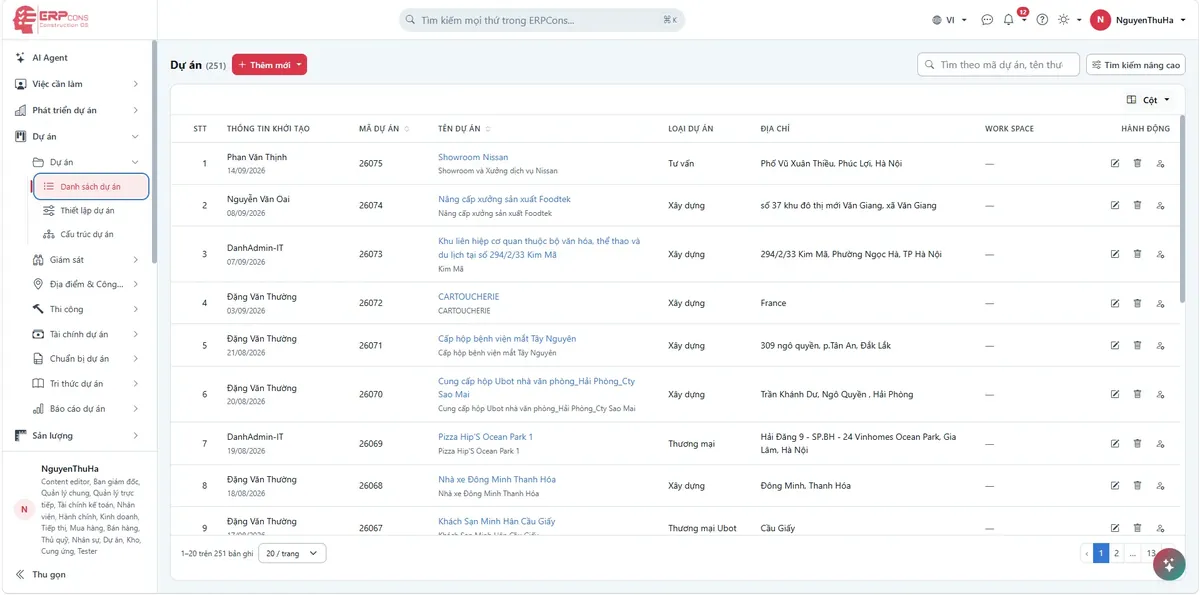
The real interface (sample data)
Data transparency & traceability
- Keep a trace of the full change history
- Fully approved through the process
- Quick retrieval of documents, photos and logs
- Link data across modules
- Meets audit and final settlement requirements
- More accountability and transparency
End-to-end integration
Typical use cases
High-rise project
Control schedule, cost and quality at every stage
Infrastructure projects
Managing quantities, acceptance and site safety
Industrial projects
Link multiple contractors, work packages and as-built records
Frequently asked questions
See allSecurity — Transparency — Compliance — Ready to scale
Ready to take your project to the next level?
Try ERPCons and see the difference today.